Restaurant platform · POS and real-time orders
El Mezquite Dark Kitchen
El Mezquite is a burger dark kitchen in Linares, Nuevo León. We built a single system with two sides: the site where customers get to know the brand and place their order, and the point of sale where the team charges it, cooks it, delivers it and balances the register at the end of the shift. Everything shares the same data: an order placed from a phone shows up on the kitchen screen by itself, and a price changed in the panel updates on the site.
What your customers see
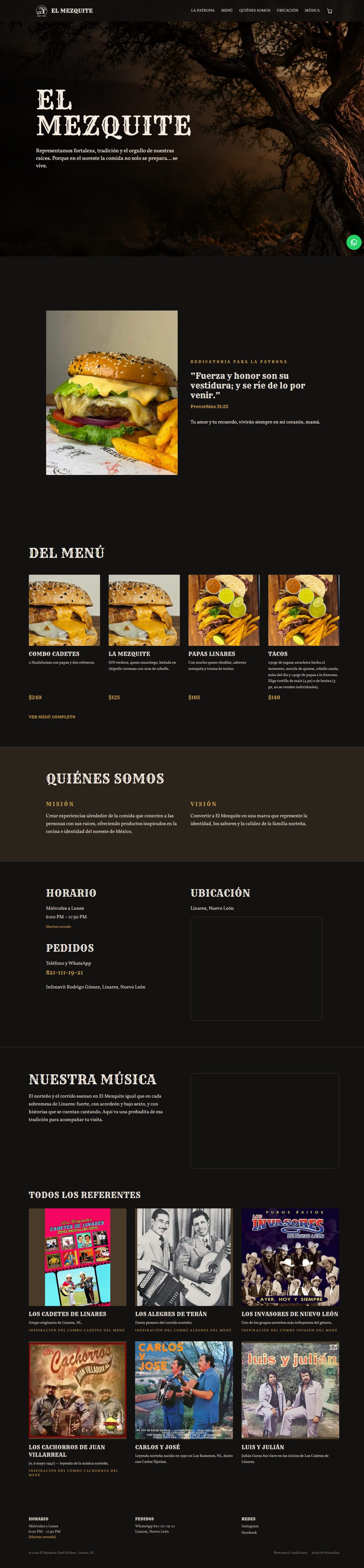
A site that tells the brand's story: the signature dish, menu highlights, who they are, hours and location, their social media and the music that inspires them. With WhatsApp always one tap away.
- The home page highlights are chosen from the panel, without touching code.
- Instagram posts load automatically.
- Some bands in the music section have a combo named after them, linked to the menu.
Ordering from a phone, no app needed
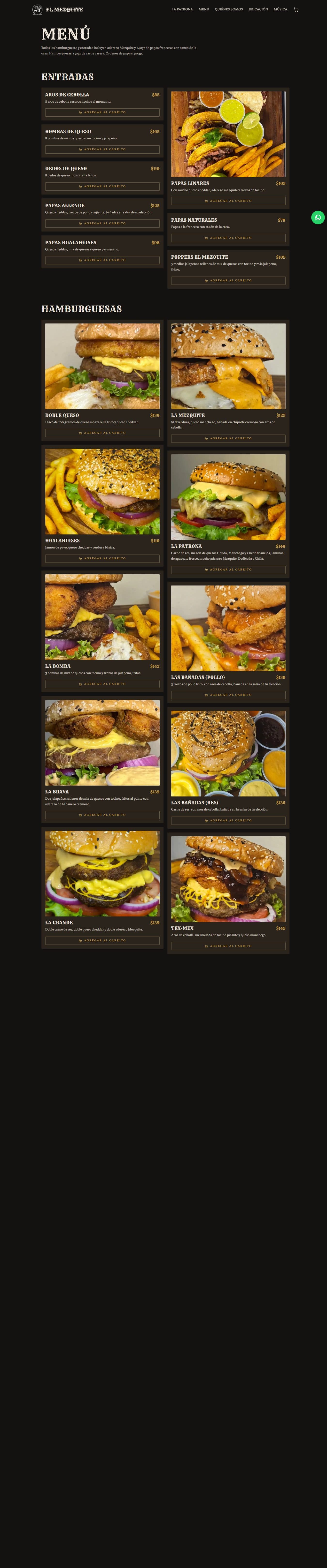
The full menu with a photo, description and price for every dish. Customers build their order and confirm it in under a minute.
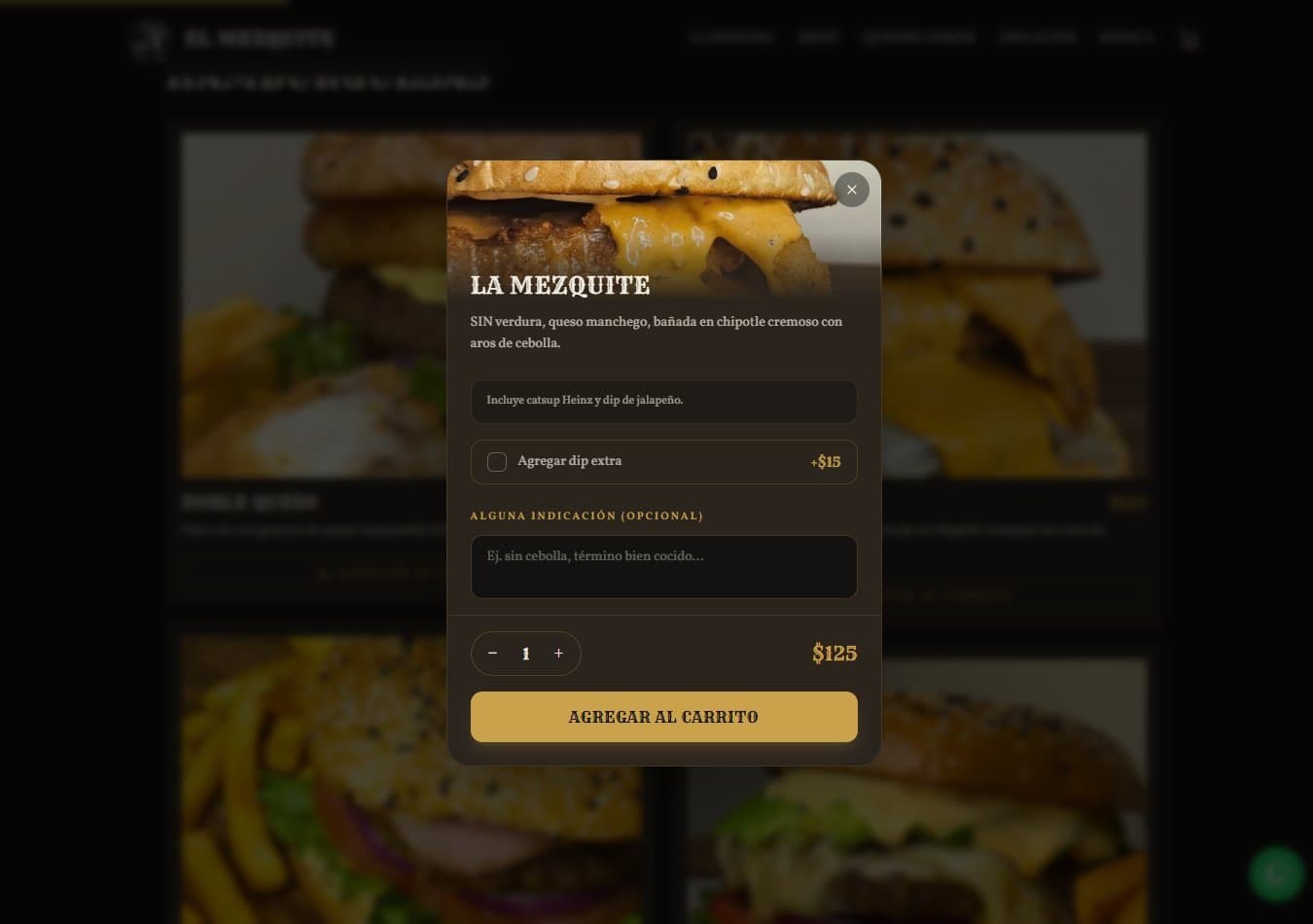
- Every dish can be customized: choice of sauce, extra dip and a note like "no onions".
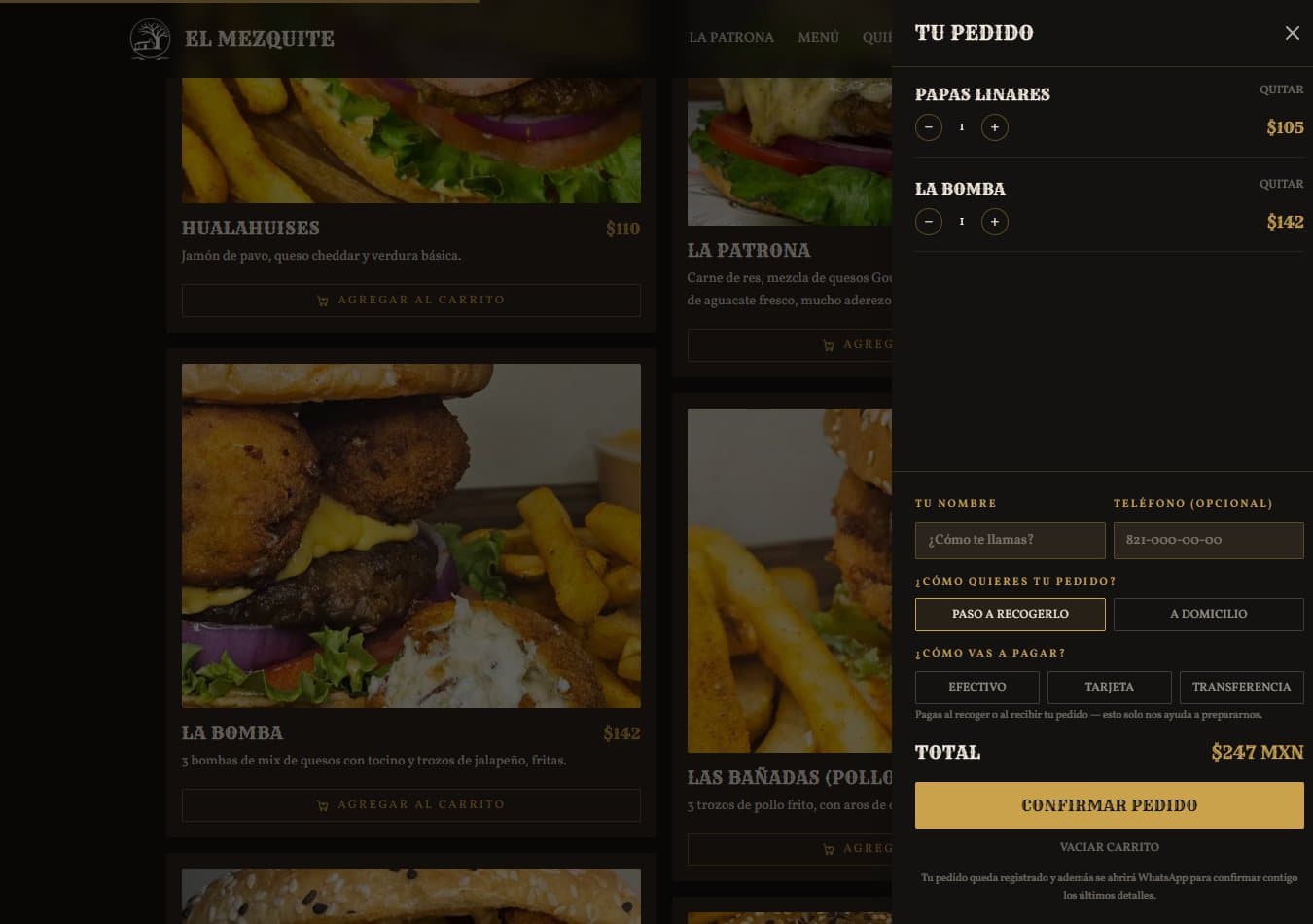
- The cart isn't lost even if the customer reloads the page.
- They choose pickup or delivery, and how they'll pay.
- On confirmation, the order goes straight to the kitchen and WhatsApp opens with the summary and order number.
- If a dish sells out, it disappears from the menu in under a minute.
The register, on the counter computer
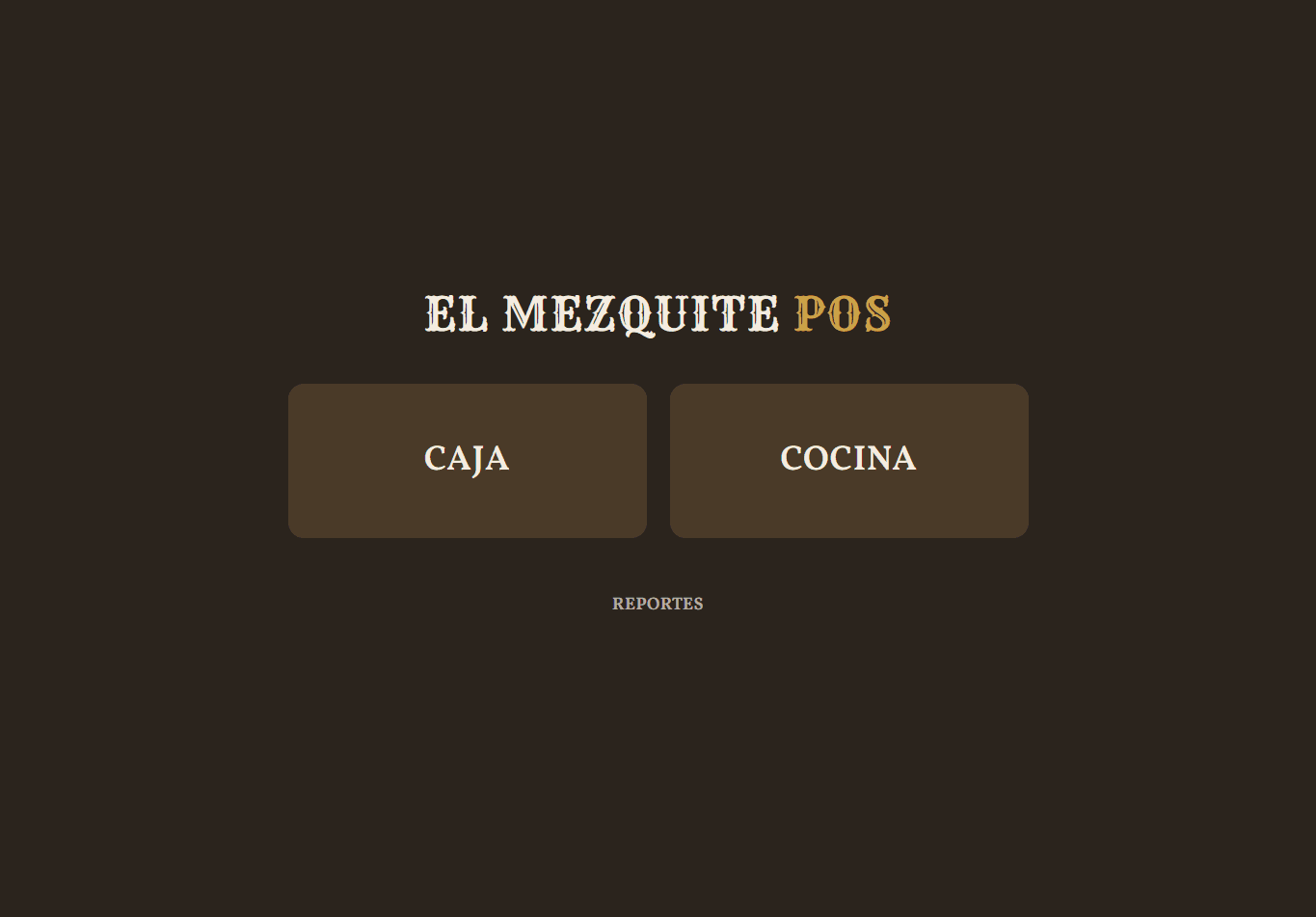
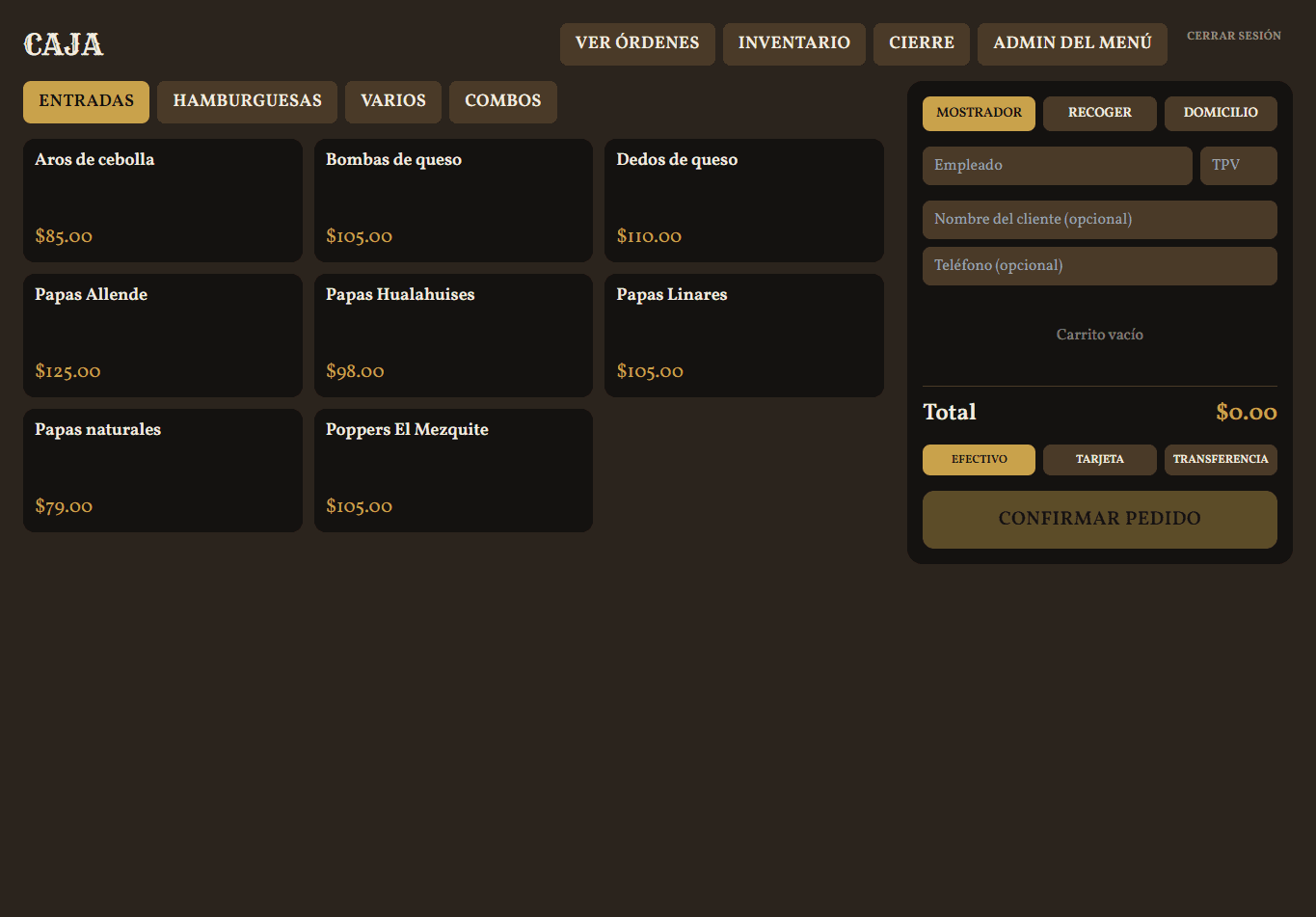
A point of sale built around the business: the catalog by category, the order and the customer's details on a single screen.
- Counter, pickup or delivery orders, with the employee and terminal recorded.
- Regulars: typing the phone number fills in the name and address automatically.
- Card or transfer payments stay pending until the register verifies them, with a record of who and when.
- Prints the ticket on the thermal printer straight from the browser, identical to the one the business already used.
The kitchen, in real time
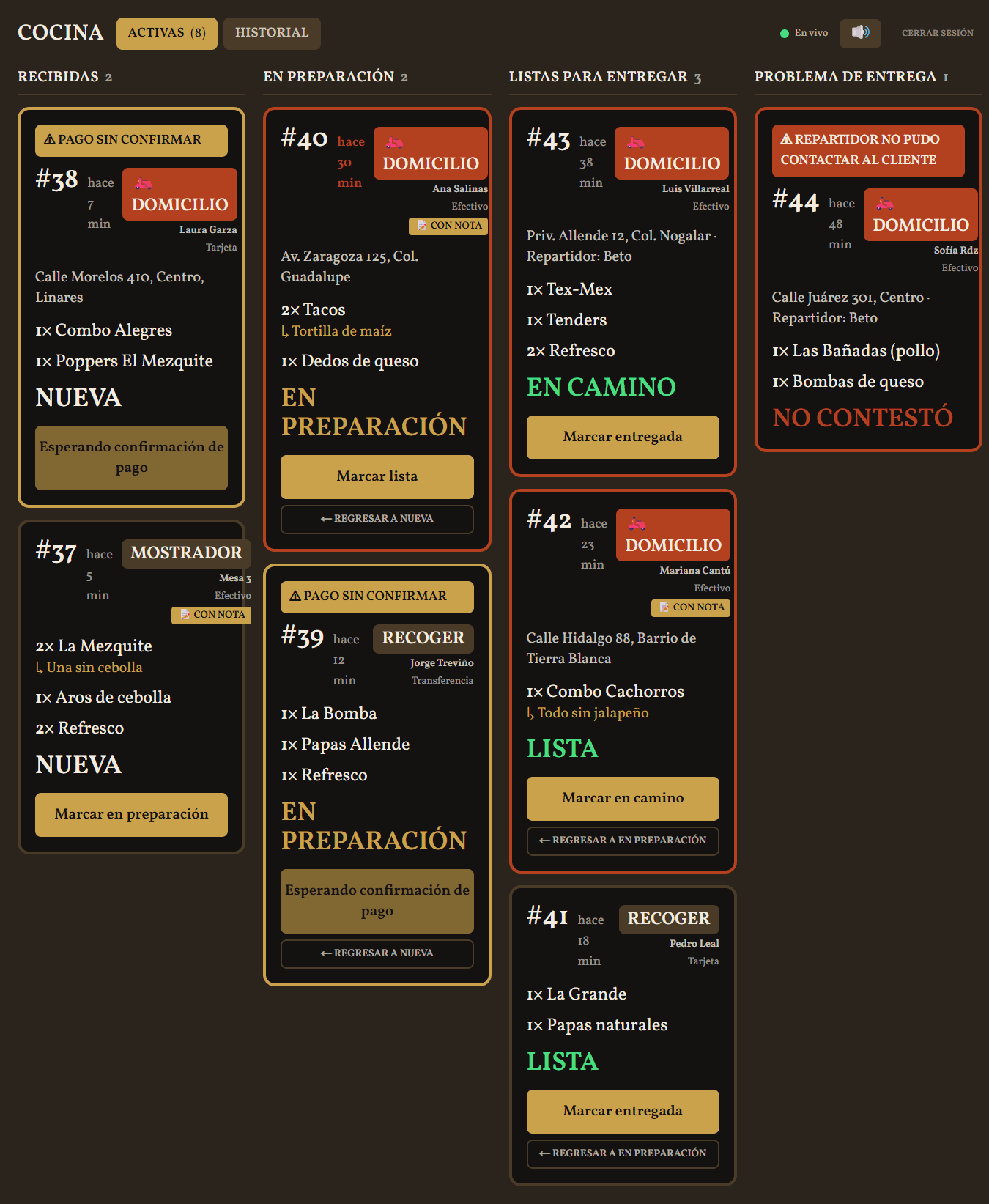
A board for the kitchen tablet, with large type and one tap per action. Every order moves from received to in progress to ready, with no shouting and no paper slips.
- An alert sounds when a new order comes in, whether from the register or the site.
- Orders with notes are flagged so no detail slips through.
- An order with an unconfirmed payment can't move forward.
- The card is highlighted if an order has been waiting too long.
The driver, with everything on their phone
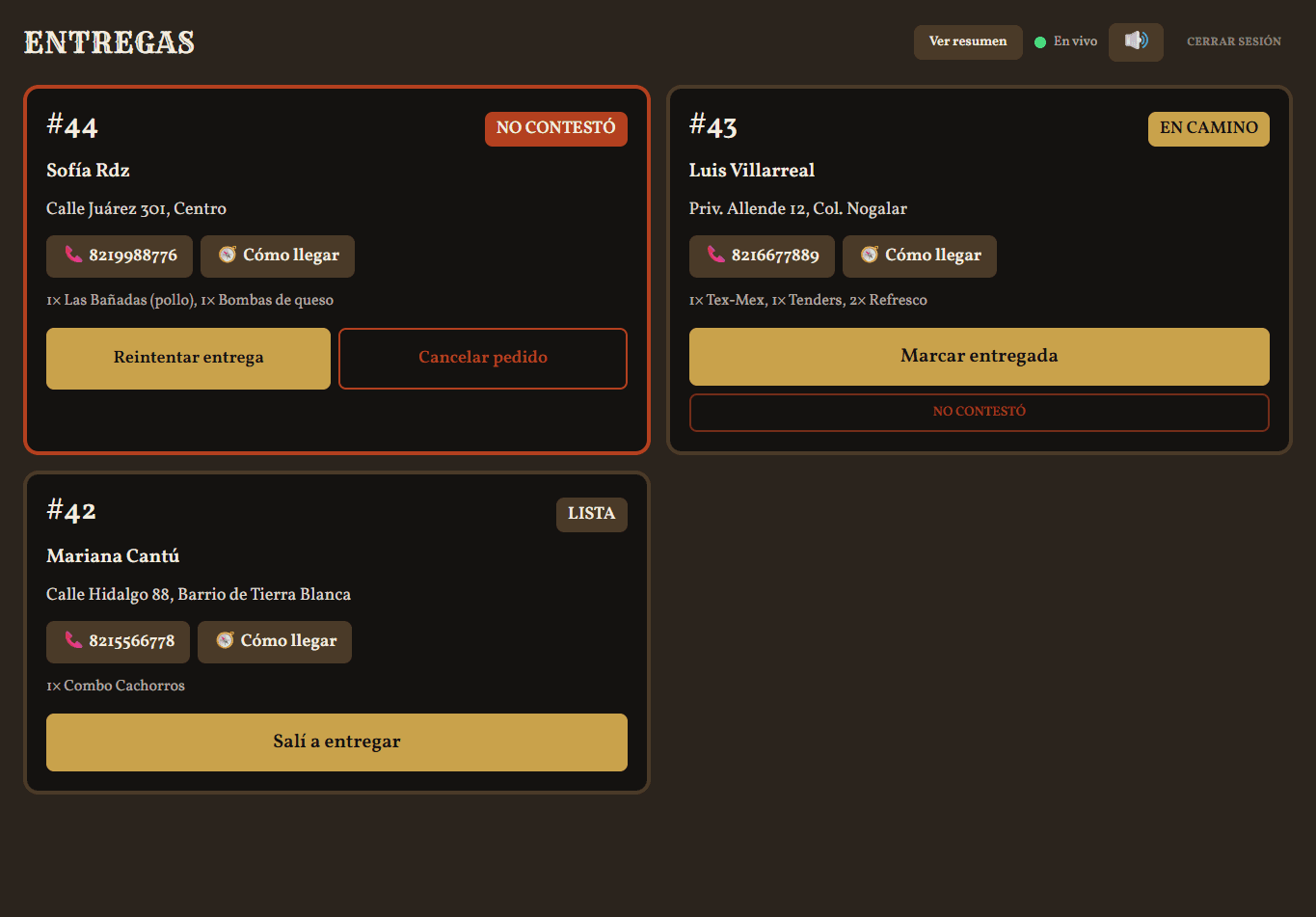
Their own panel, with their own password, that only shows delivery orders ready to go out.
- Calls the customer with one tap and opens the route in Google Maps.
- Marks when they leave, when they deliver or if the customer didn't answer.
- Their phone rings and vibrates when an order is ready.
- A shift summary with their deliveries and the cash they need to turn in.
Menu and inventory, without touching code
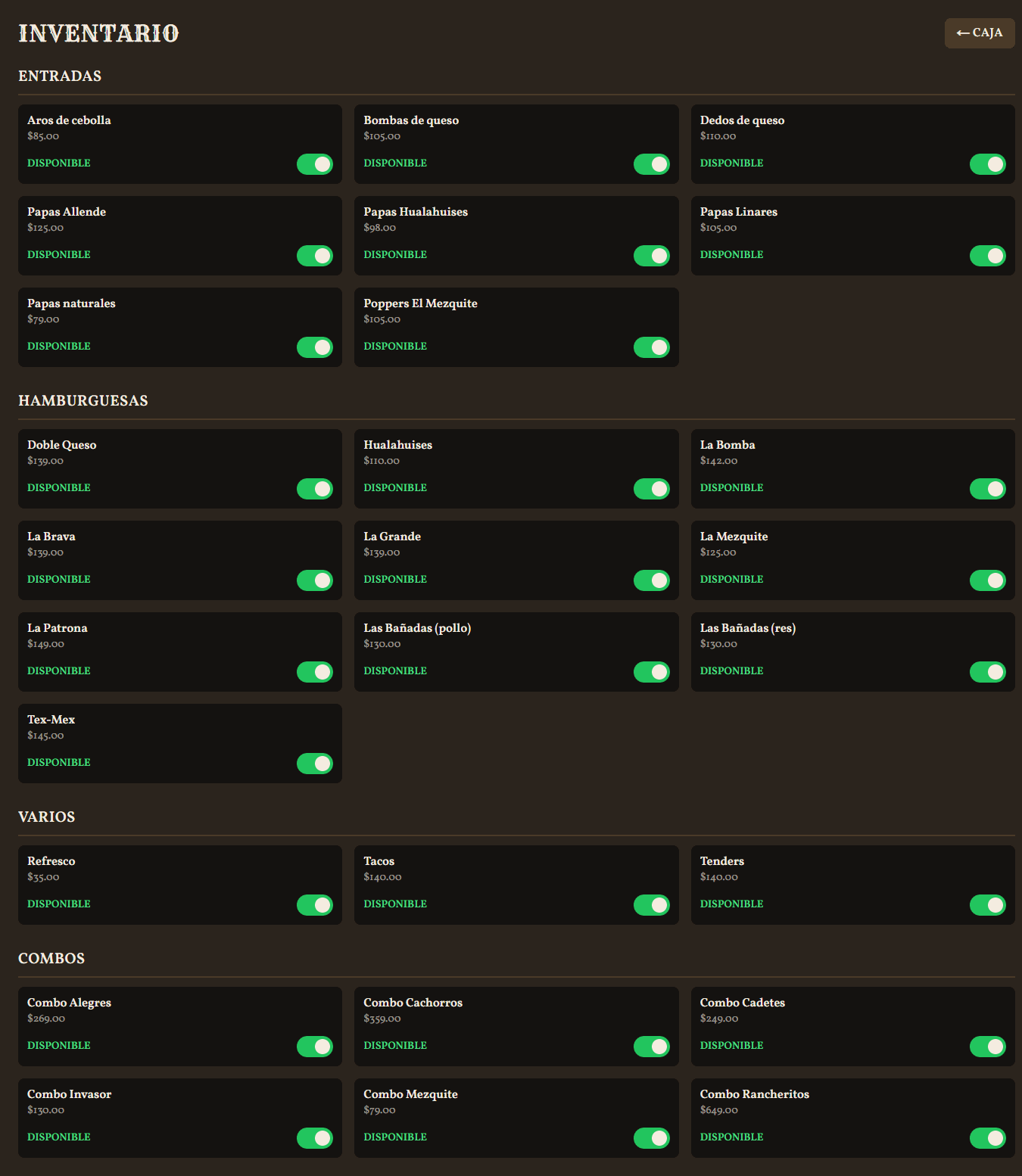
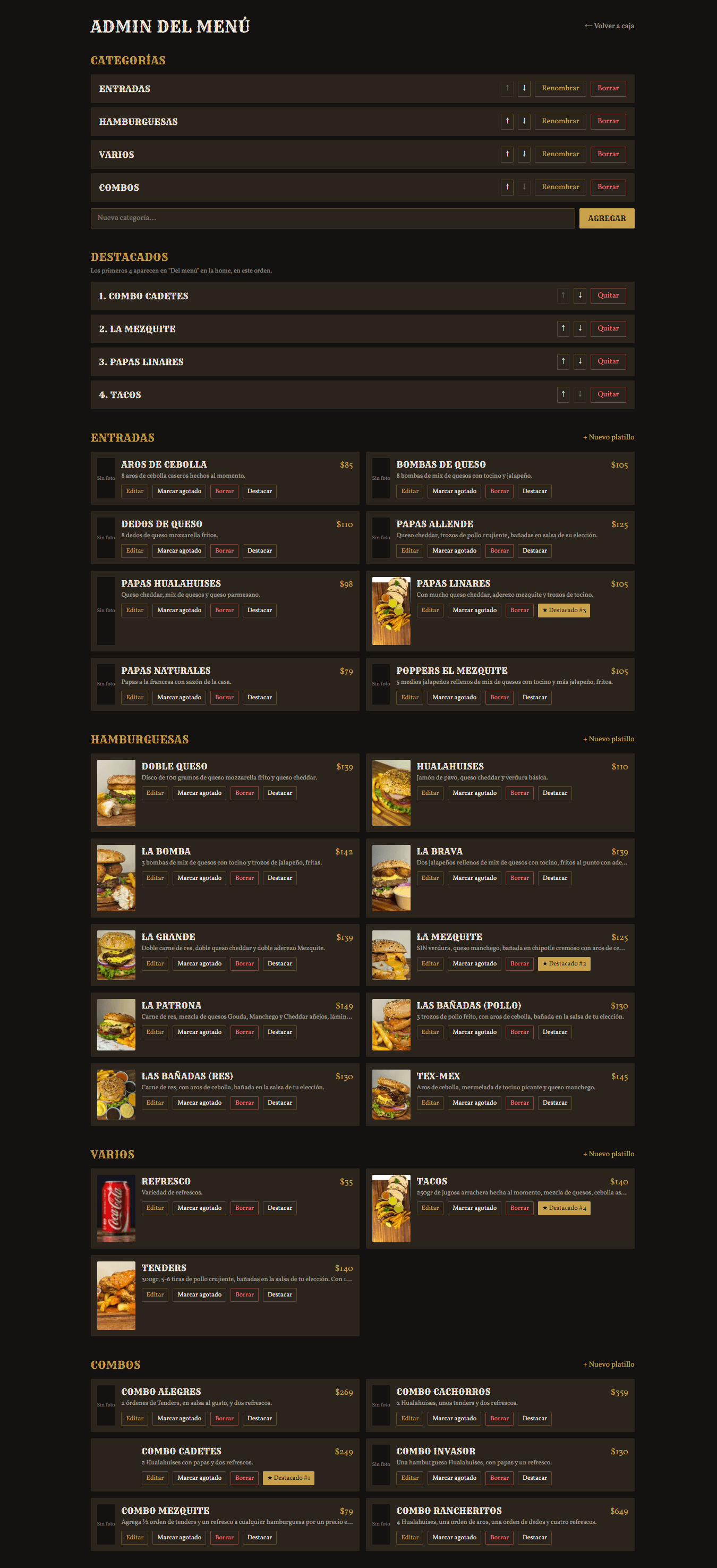
Prices, photos, categories and highlights are changed from the browser. If something runs out in the middle of the night, it's marked as sold out with one tap.
- Create, edit and reorder categories and dishes, with their photo.
- Choose which dishes are featured on the site's home page.
- A sold-out dish turns gray at the register and disappears from the public menu.
- A price change doesn't alter orders that were already placed.
What you see, as the owner
The cash-out balances each shift's cash: opening float, cash in and cash out with their reason, sales by payment method and the difference between expected and counted. A shift can't be closed twice, and voiding a cash-out leaves a record. Reports show sales by day, week or month, by payment method, by order type and the best-selling dishes.
| For your customers | For your team | For you |
|---|---|---|
| Orders from a phone, nothing to download | Every order on the right screen, instantly | A balanced register every shift |
| Customizes the dish to their taste | Kitchen and delivery with no paper slips | Sales and best sellers, up to date |
| Their summary on WhatsApp with an order number | Menu and inventory changed in one tap | Verified payments, with a record of who |
We build the software your business needs to stop losing time on operations, so you can focus on growing.
Want something like this for your business?
Tell us how you work today and what takes up most of your time. We'll tell you what can be built and what it would cost, no strings attached.